The planner that forgives you.
Plan your days, weeks and year in one calm place. When life gets messy, nothing turns red, nothing resets, and picking back up takes one tap.
It's one file that opens in your browser. No account, no app store, no monthly fee, and everything you write stays on your device.
- One file, nothing to install
- Works offline
- No account, no sign up
- Pay once, keep it
Launch price. It will go up later. One payment, never a subscription.
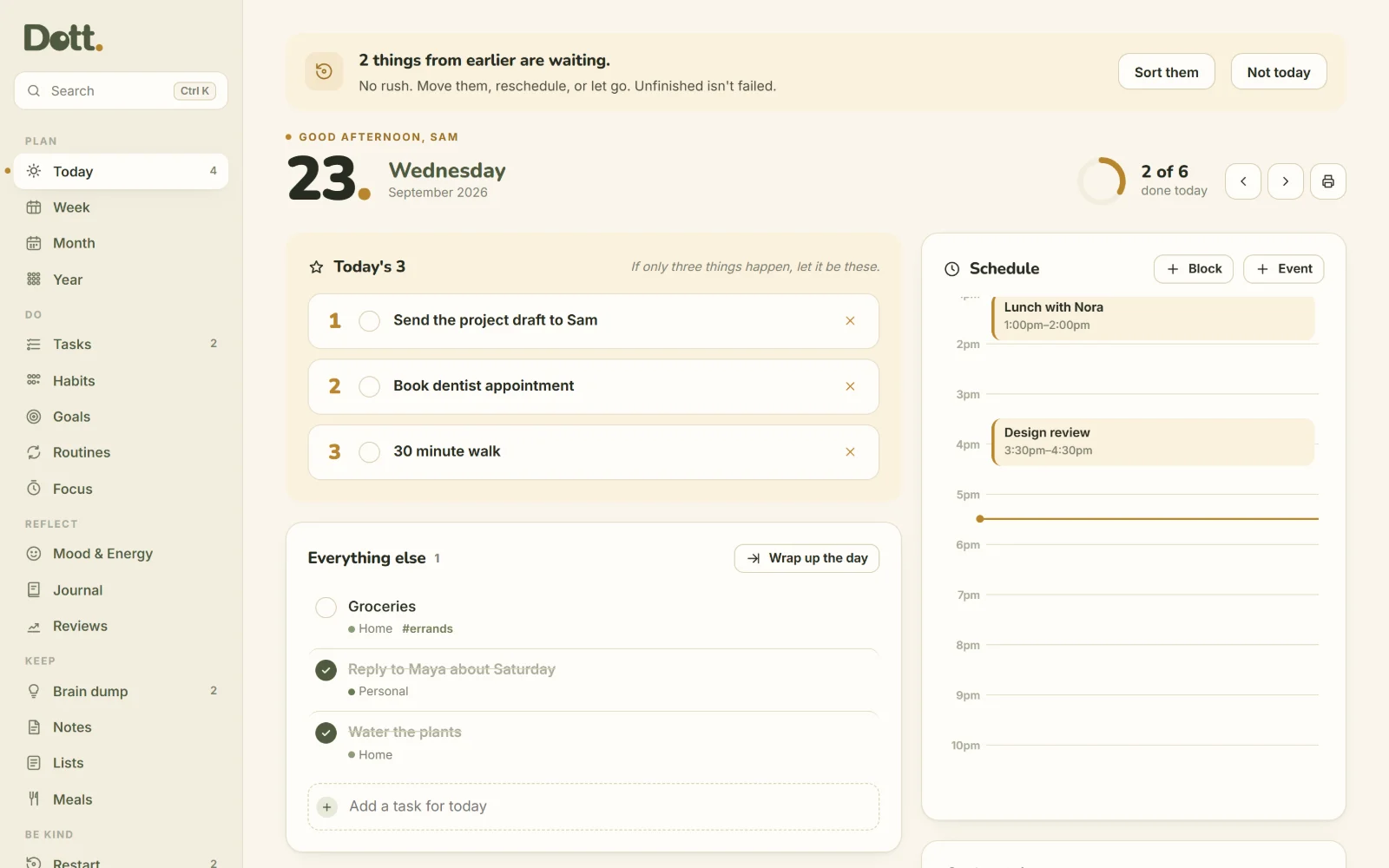
Most planners are built for your best week.
Then one busy week happens, and the planner turns into a list of everything you didn't do. Dott. is built for the week after that one.
The usual planner
- Miss three days and you come back to a wall of red, overdue tasks
- Break a streak and the counter drops back to zero
- The paper planner stops in February, and the empty pages stay empty
- Tasks in one app, habits in another, the journal somewhere else
- Another monthly subscription for something you might stop using
Dott.
- Unfinished tasks wait quietly. Move them, reschedule them, or let them go
- Habits are dots, not streaks. A gap is just a gap, and your dots stay
- Pick back up on any day. Restart turns a backlog into one next step
- Tasks, calendar, habits, goals, mood, journal and meals in one place
- One payment. The file is yours to keep
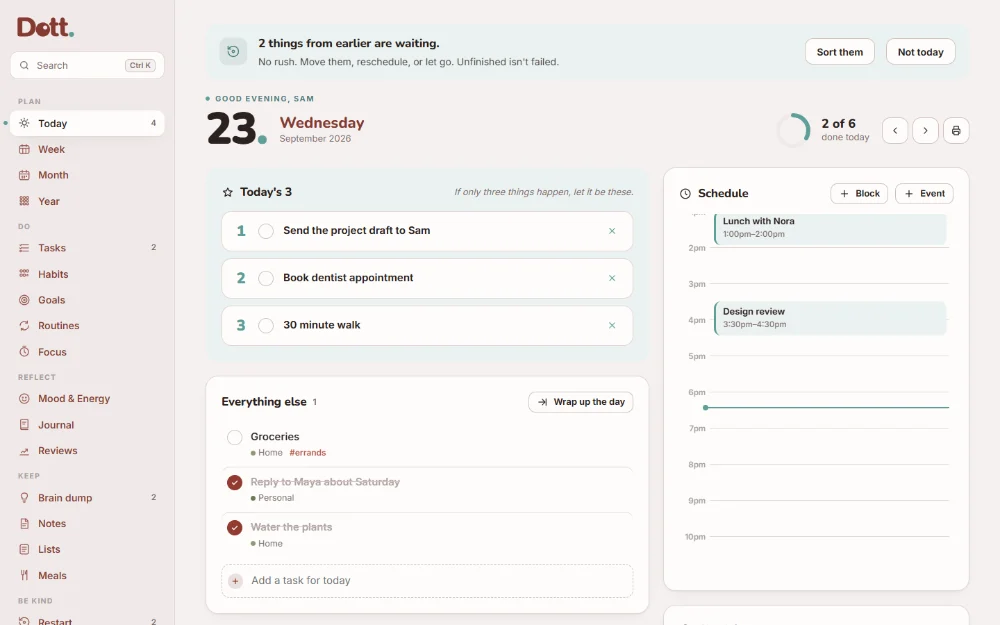
This is what a calm week looks like.
Real screens from Dott., filled with example content. Tap any image to see it full size.
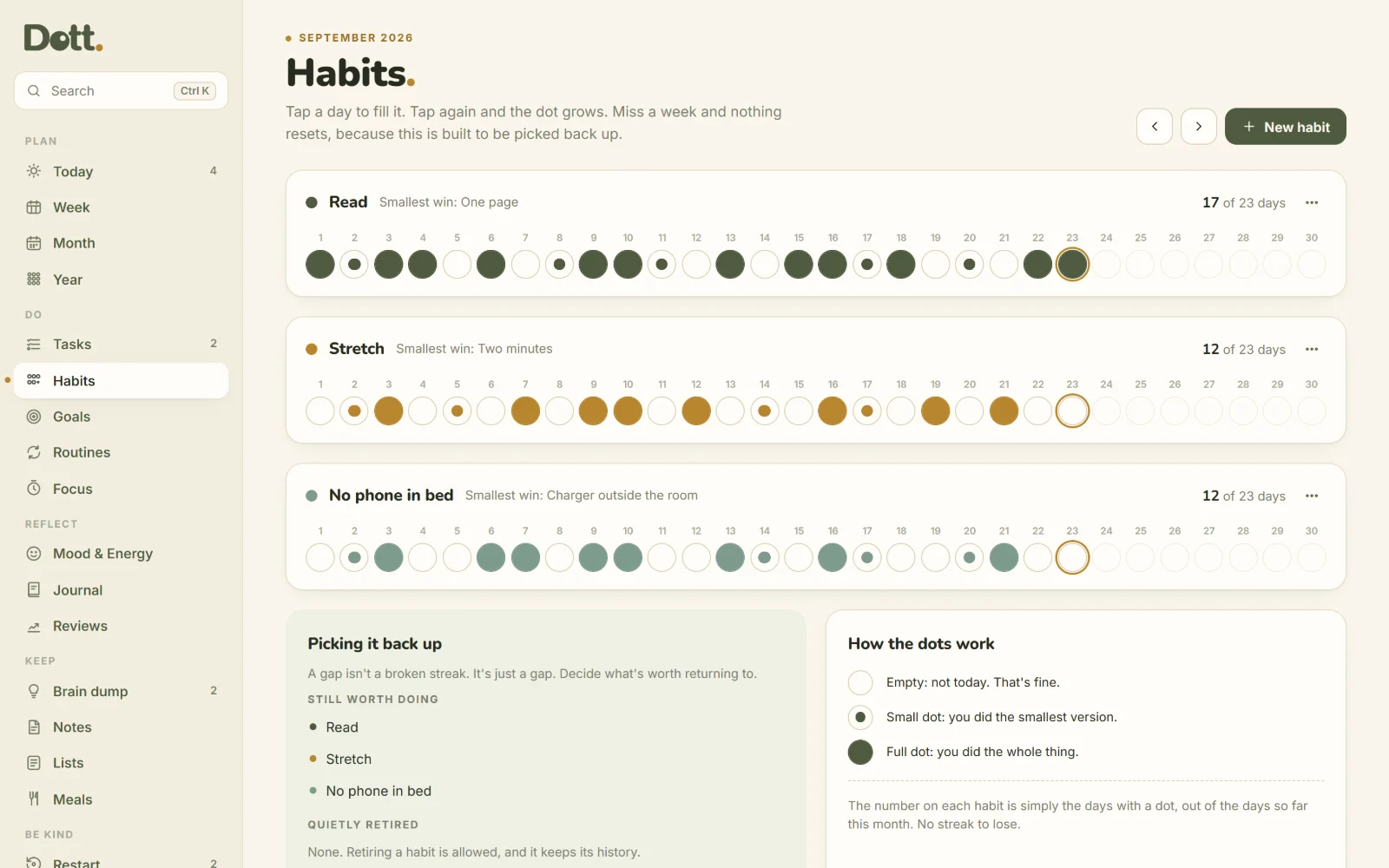
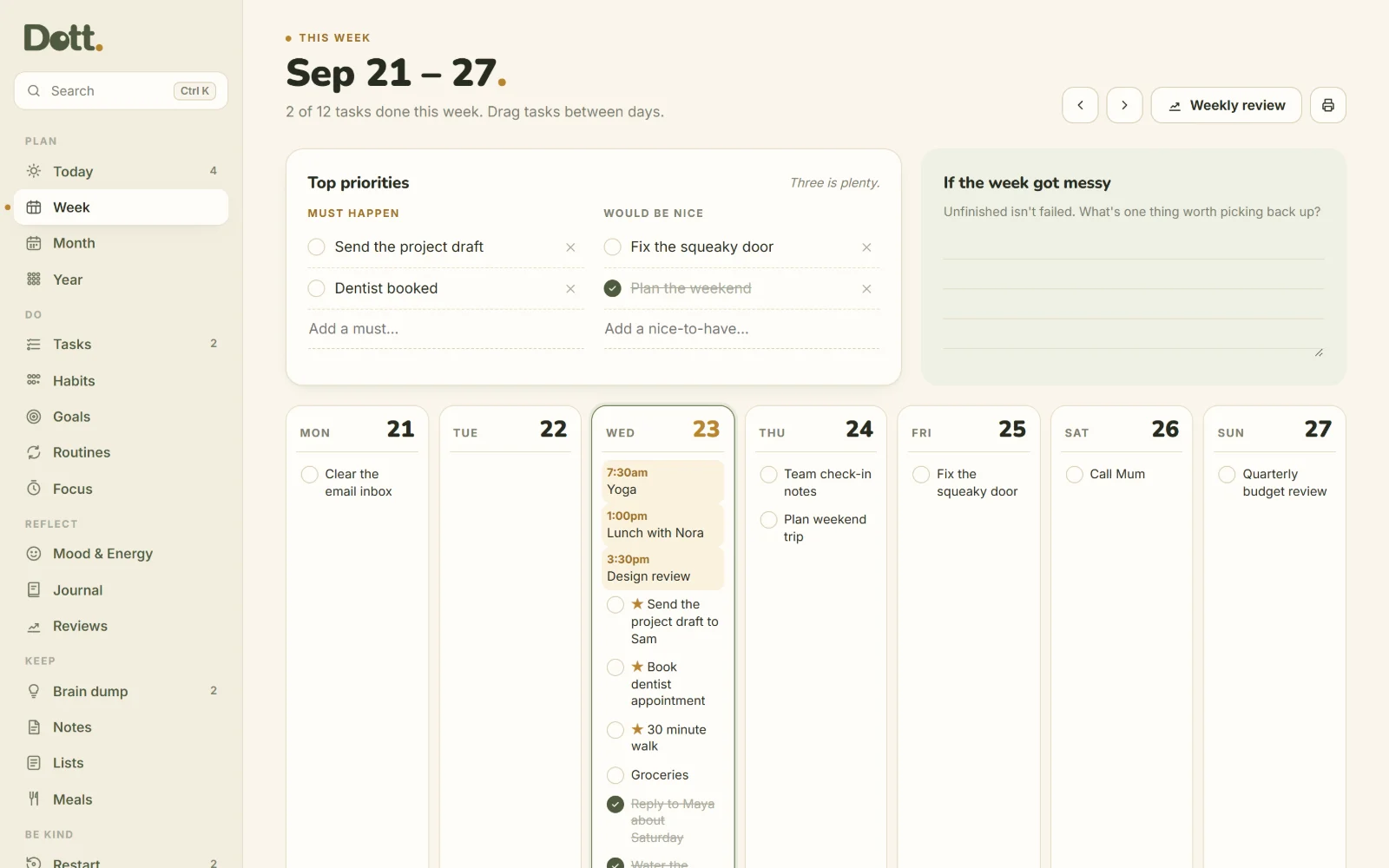
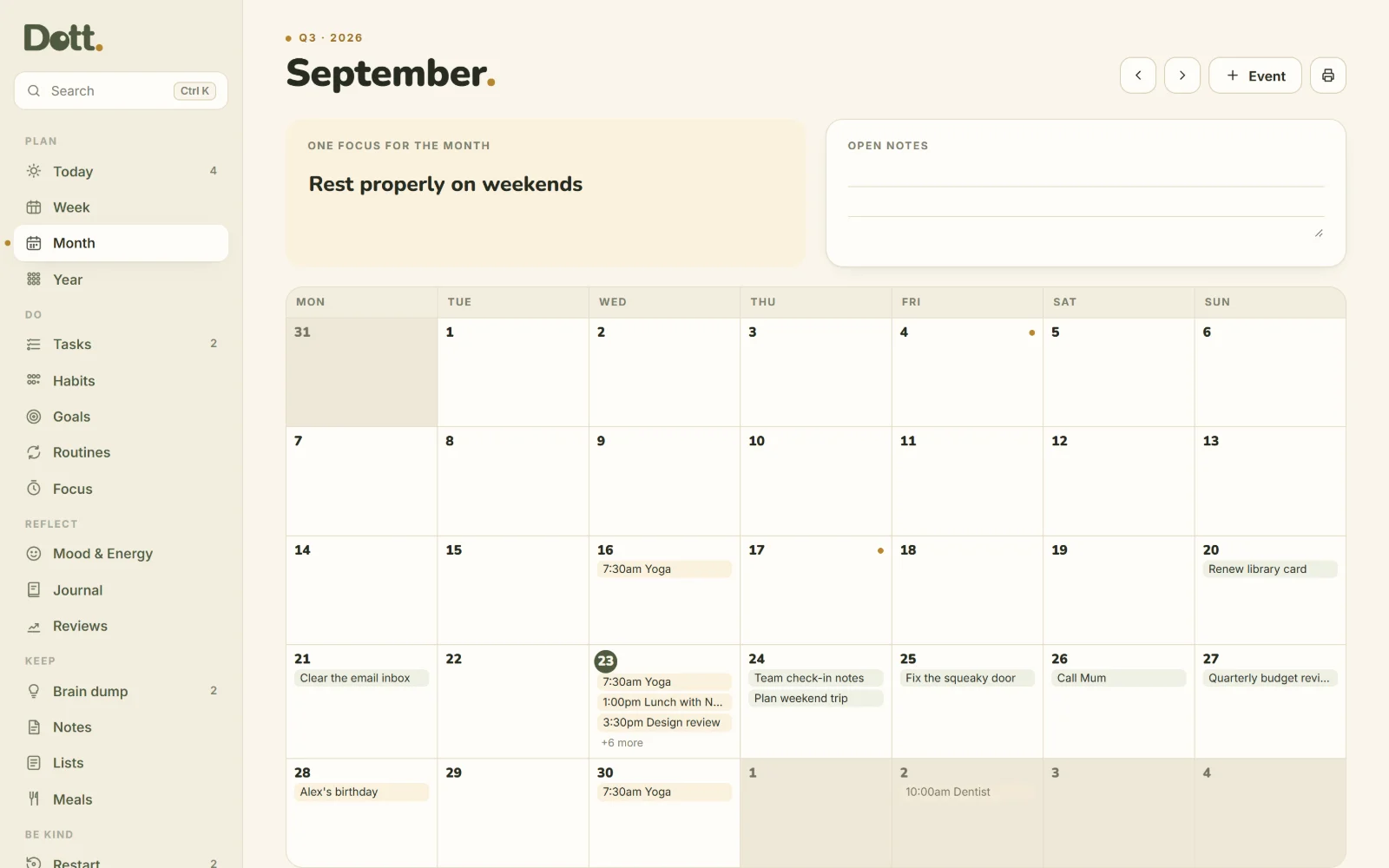
Built for the days that don't go to plan.
Three small ideas run through every page. Together they make Dott. easy to come back to.
Nothing turns red
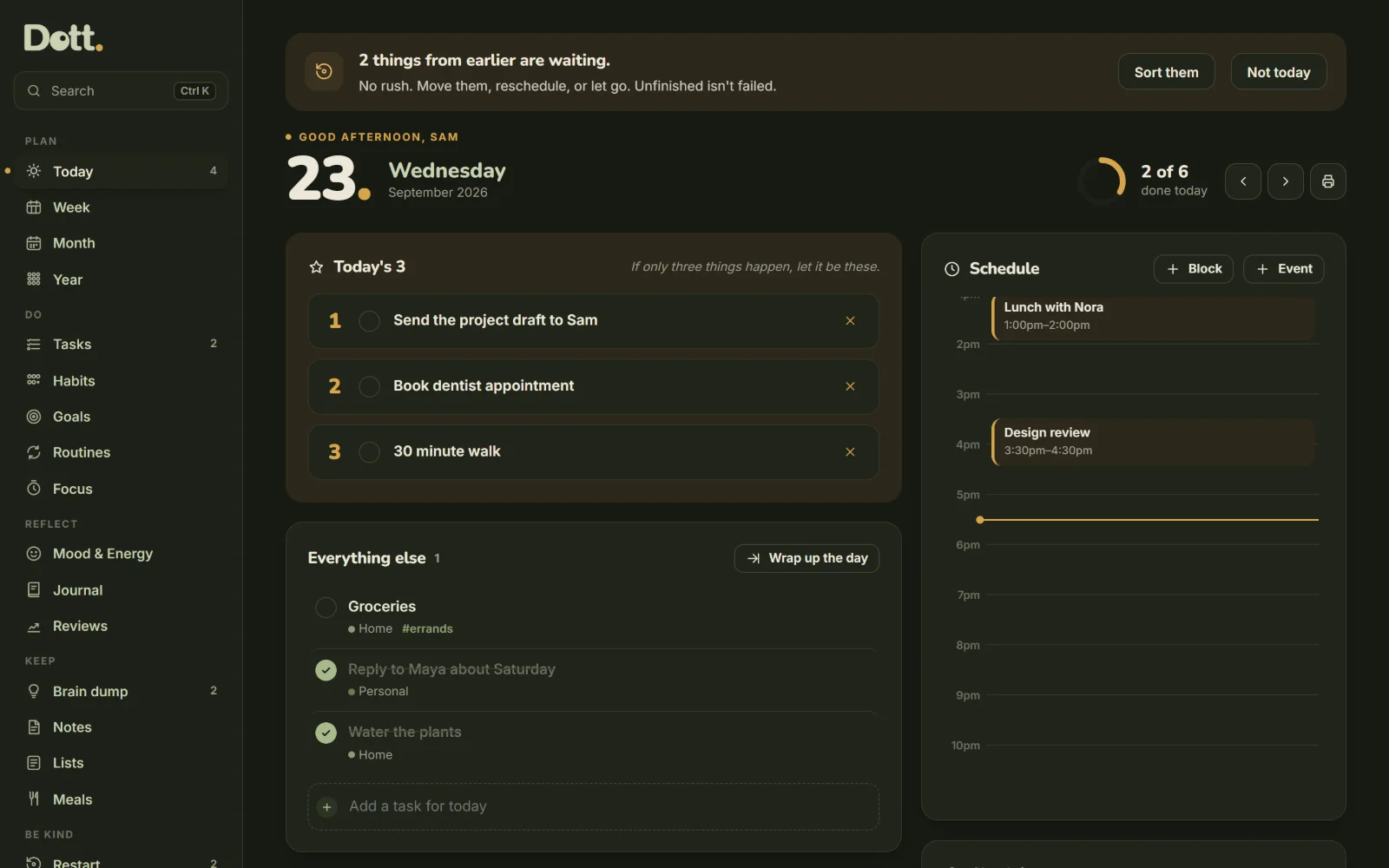
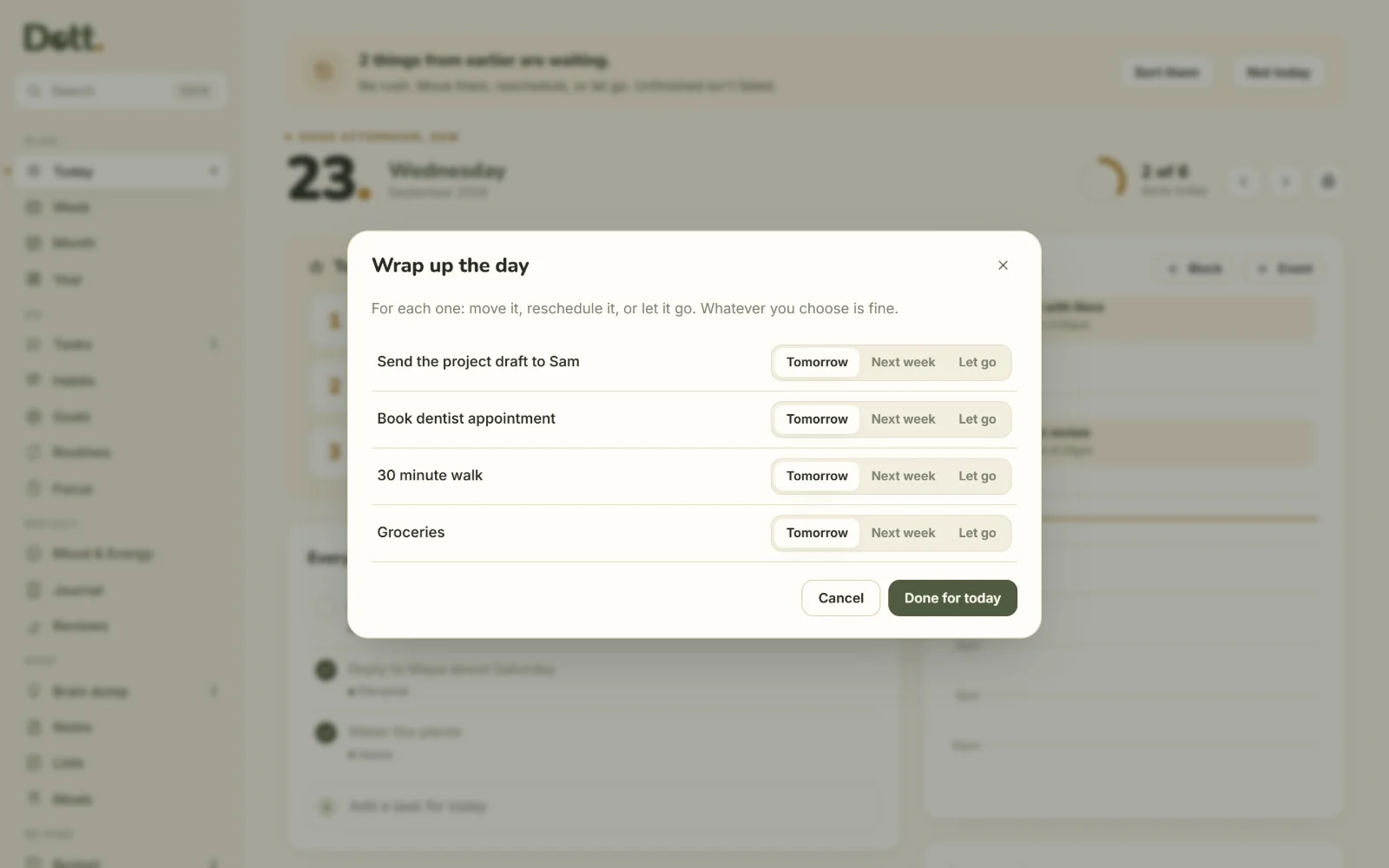
At the end of the day, anything unfinished gets one choice: tomorrow, next week, or let it go. No overdue pile building up behind you.
Nothing resets
Tap once for the smallest version of a habit, twice for the whole thing. Miss a week and every dot you made is still there.
Nothing is lost
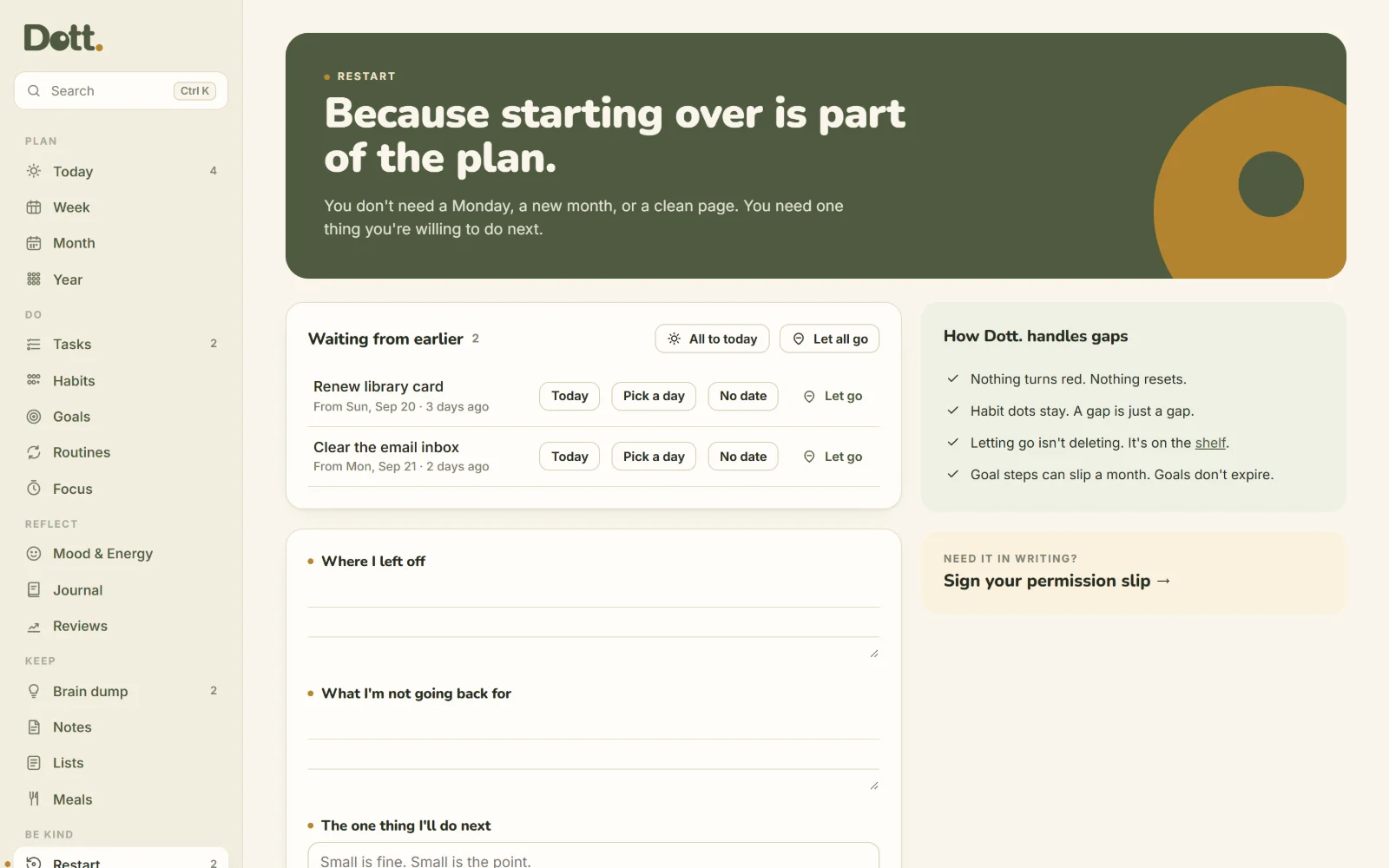
Back after a gap? Restart sorts what's waiting in one pass. Letting go isn't deleting: everything rests on a shelf you can bring it back from.
One planner instead of five apps.
No setup, no templates to hunt for. Open the file and start with today.
Today
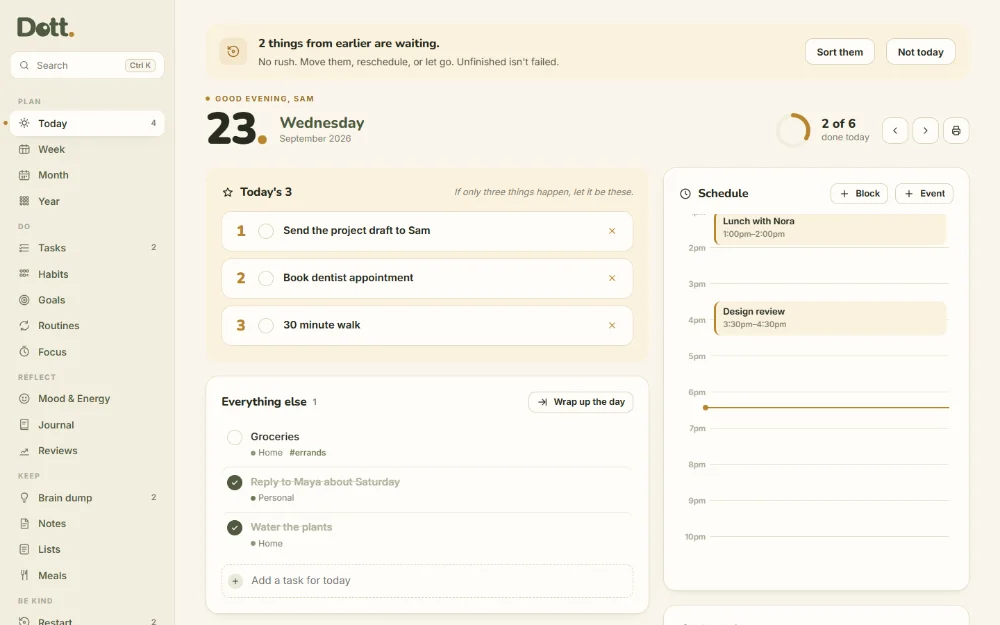
Your day on one page. Pick Today's 3, the things that matter most, then see everything else, your schedule and a quick check-in. At the end of the day, wrap up in one go.
Week, Month and Year
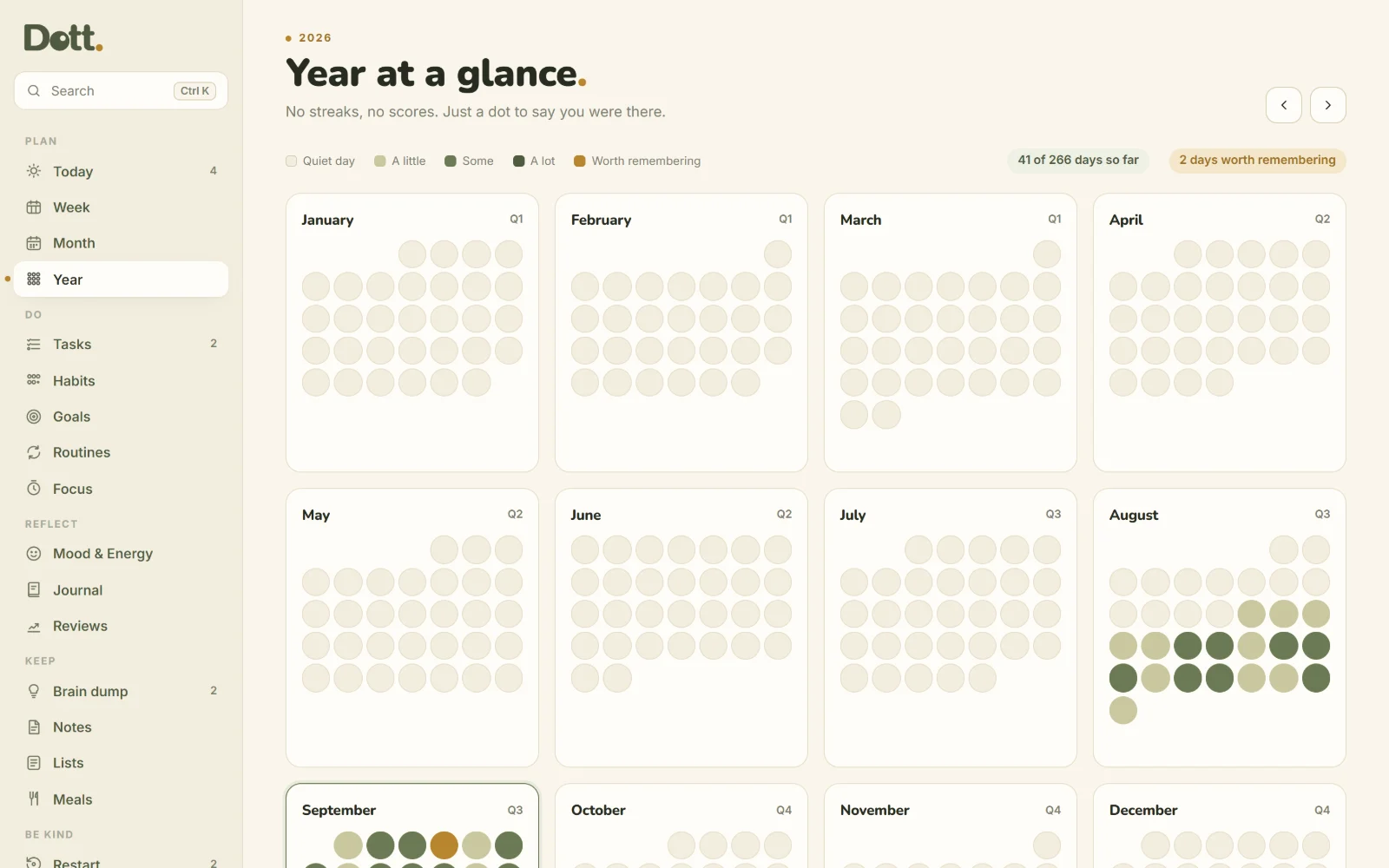
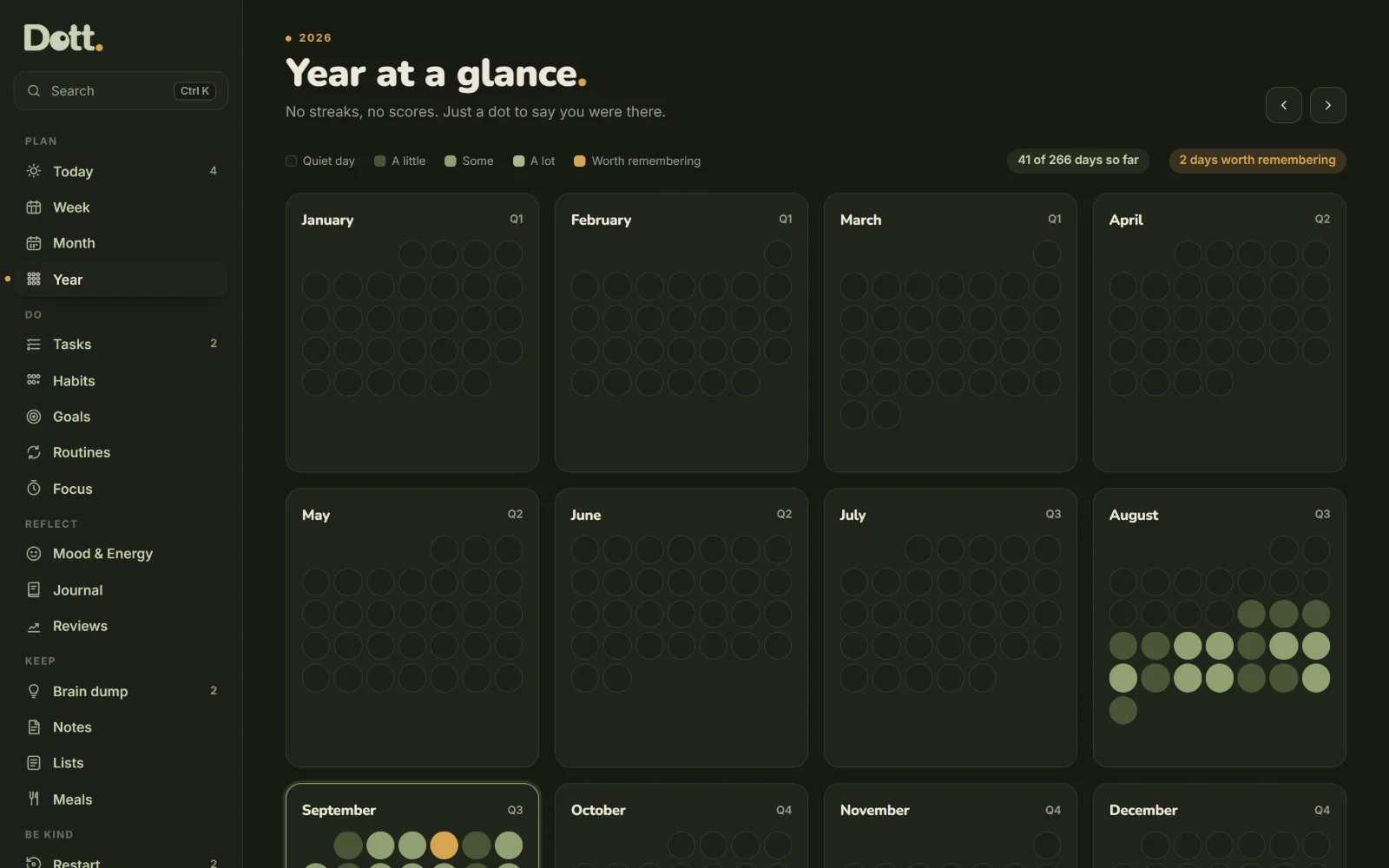
Drag tasks between days, set this week's must happen and would be nice, and choose one focus for the month. The year shows every day as a dot, fuller on the days you did more.
Tasks
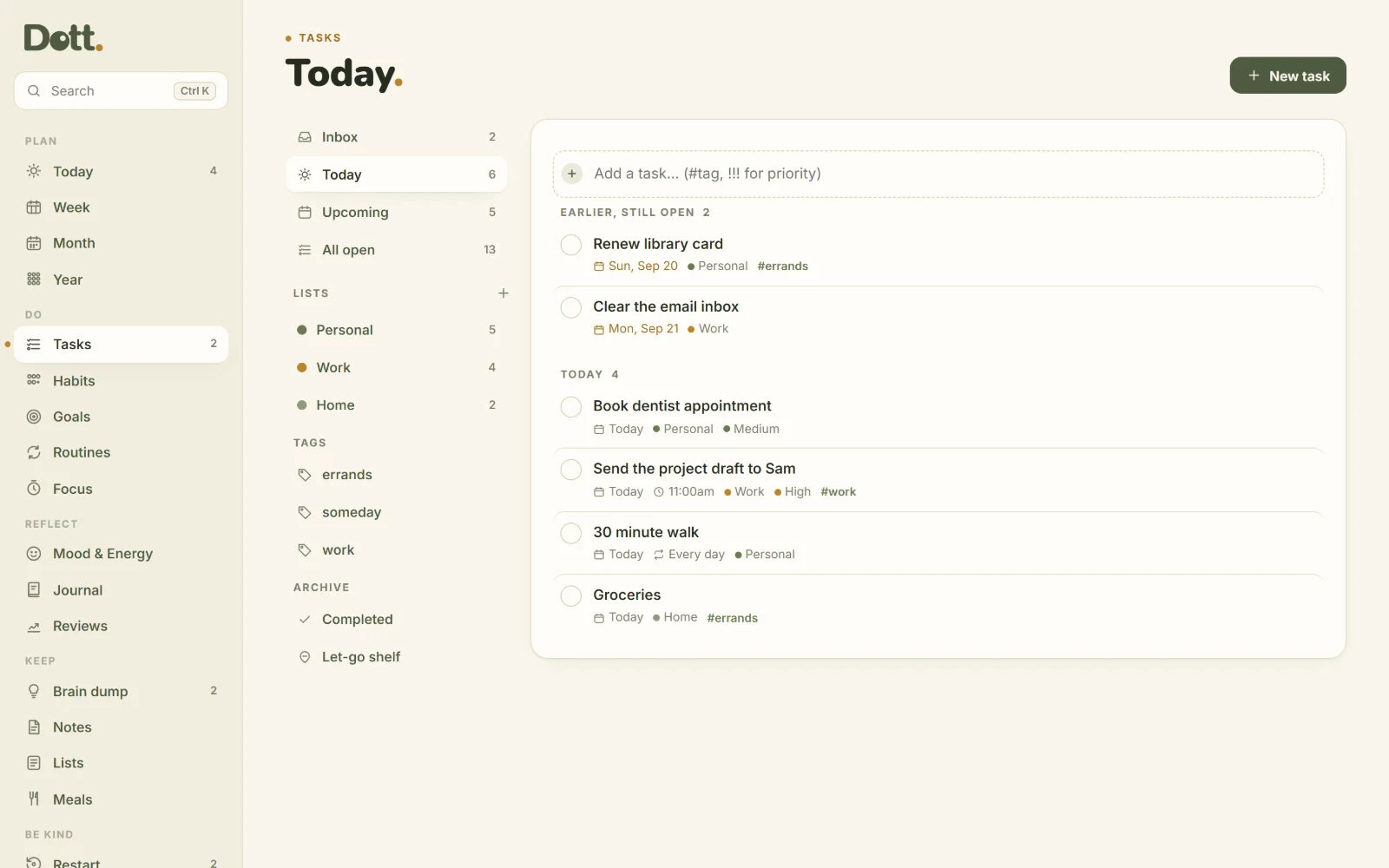
An inbox for everything without a date, your own lists, tags and priorities. Break a task into steps, make it repeat, and search everything with Ctrl K.
Habits and Goals
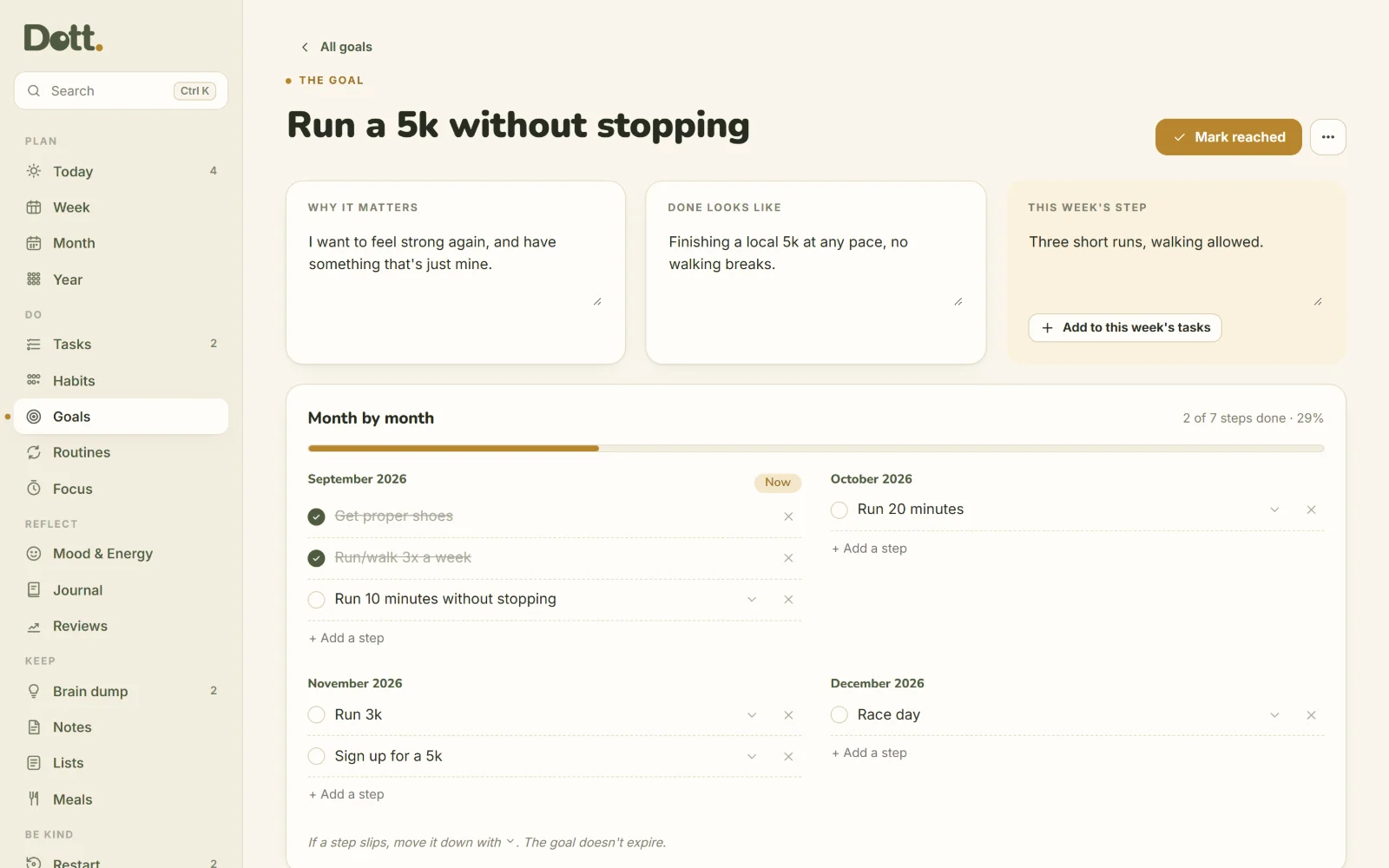
Habits are dots with a smallest win for bad days. Goals break down month by month, with one step for this week. If a step slips, move it down. The goal doesn't expire.
Mood, Journal and Reviews
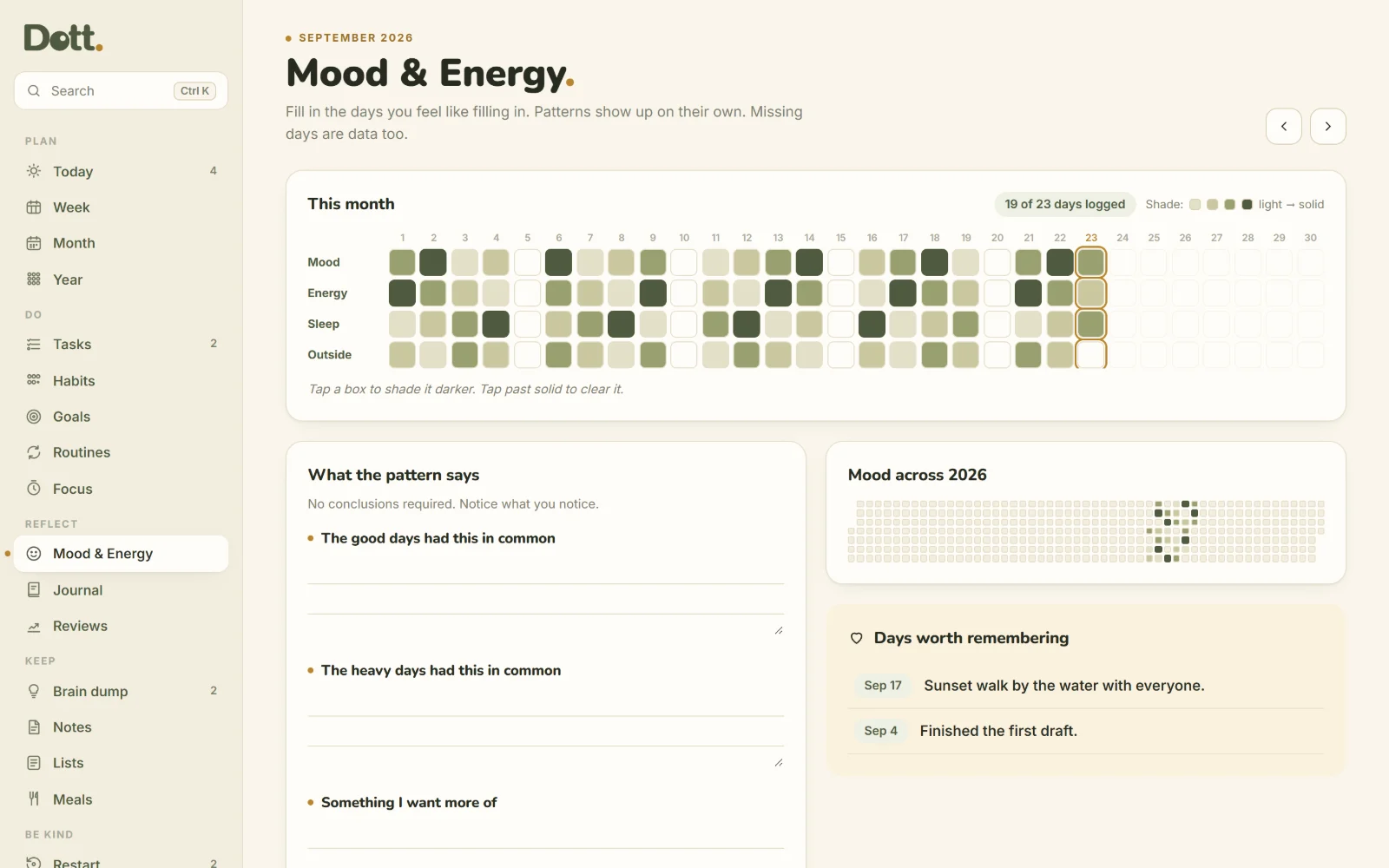
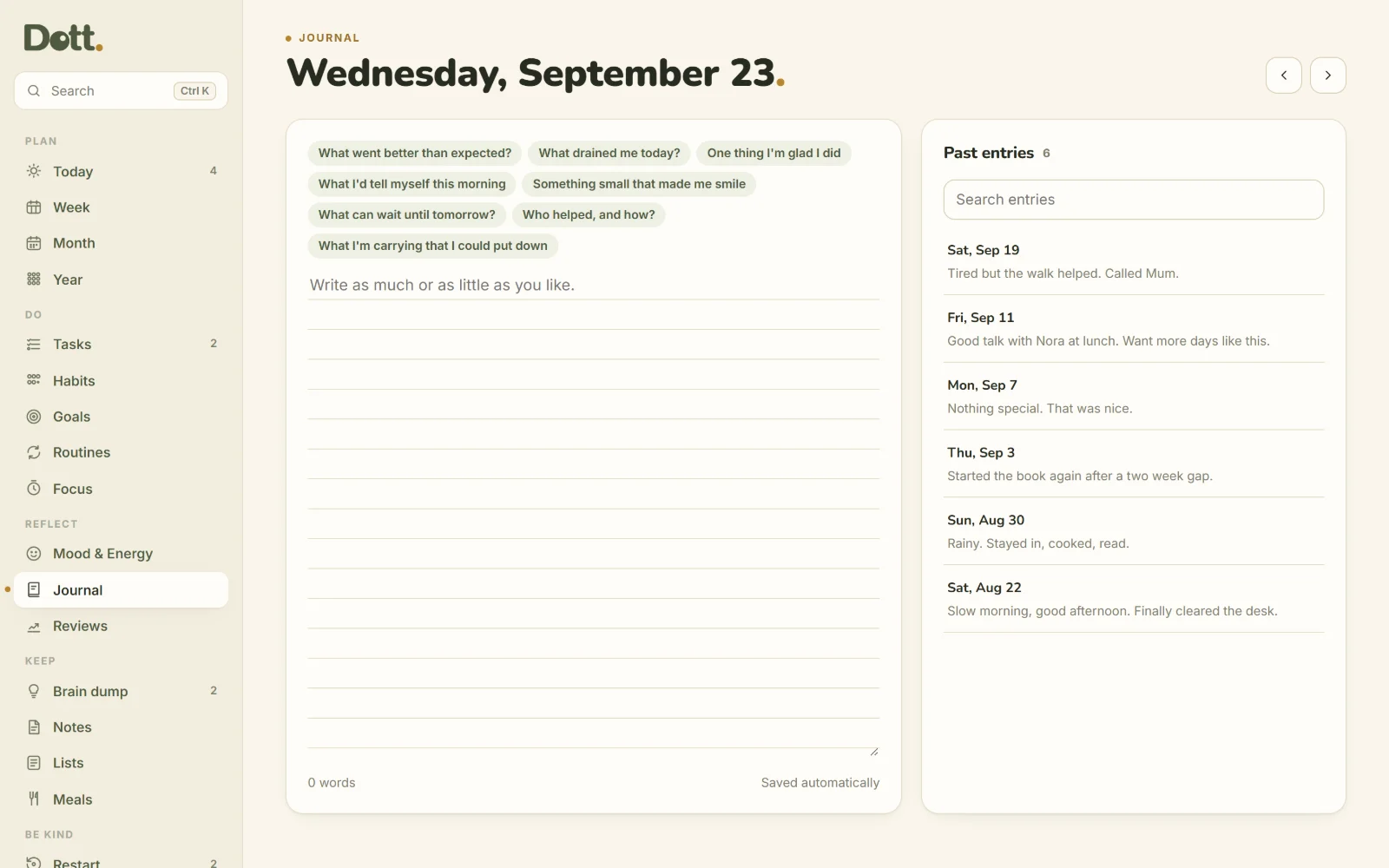
Shade your mood, energy, sleep and time outside. Patterns show up on their own. Write a line or a page in the journal, then look back with a weekly and monthly review.
Routines
Morning and evening checklists that start fresh every day.
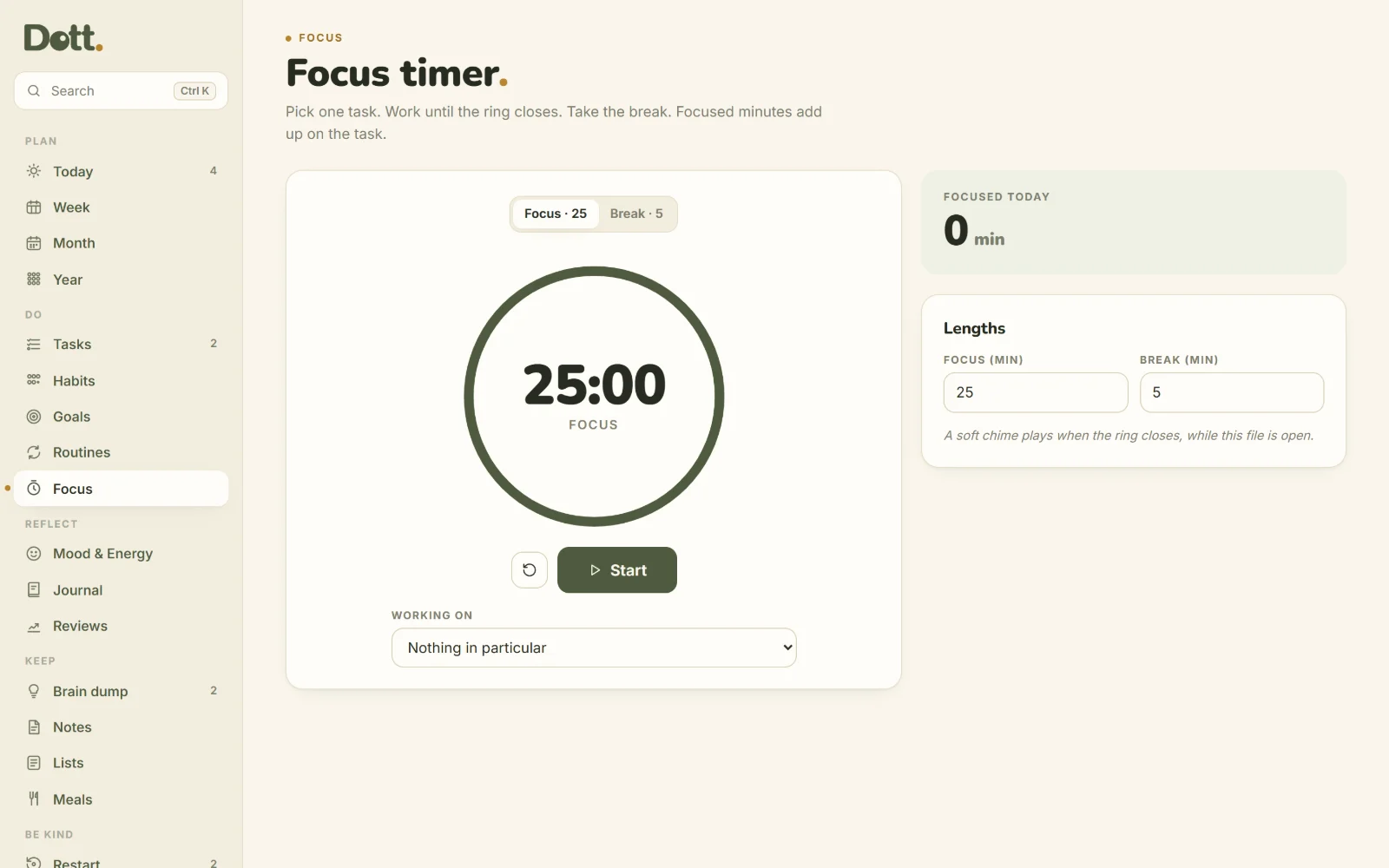
Focus timer
Pick a task, start the ring. Minutes add up on the task.
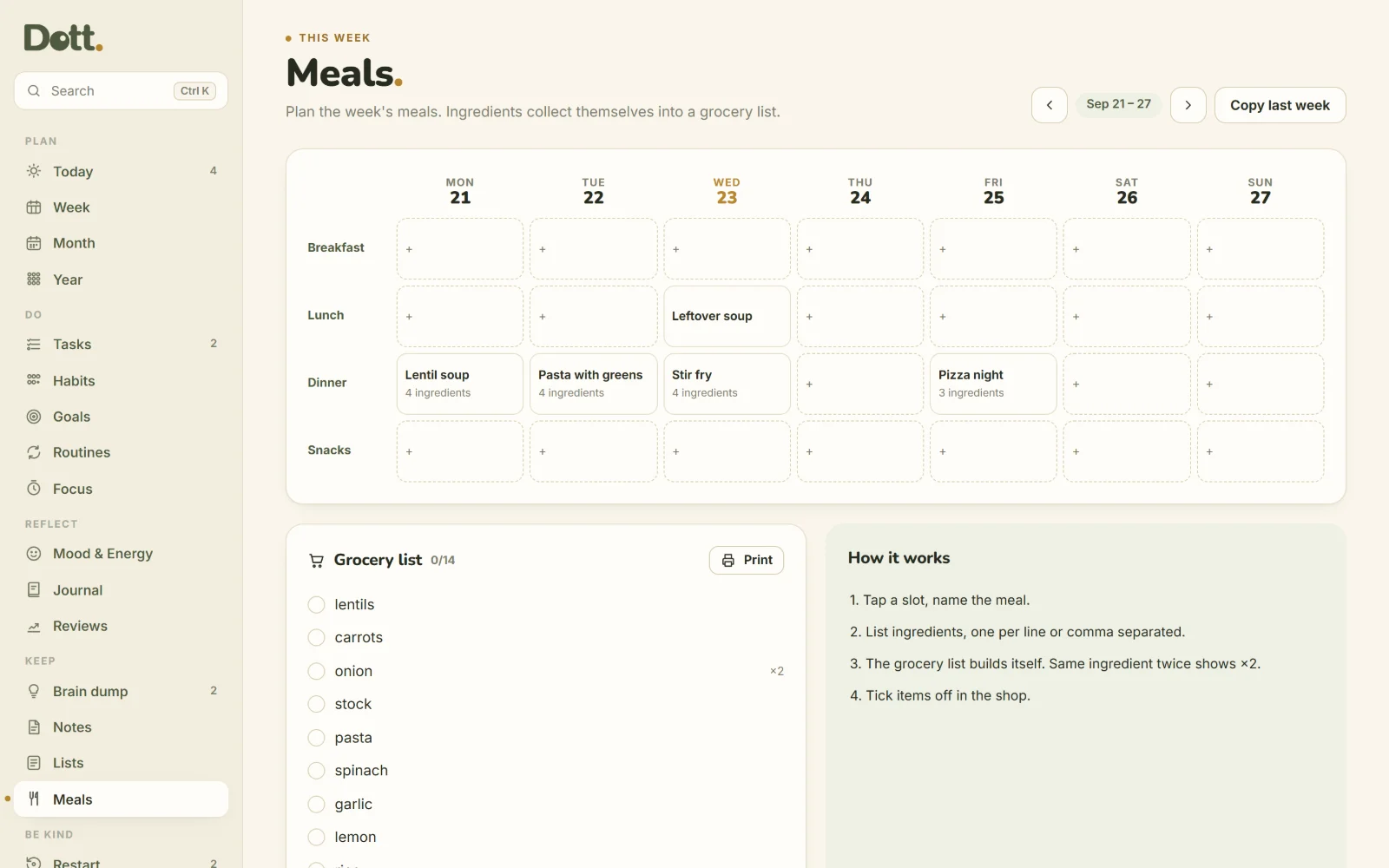
Meals & groceries
Plan the week's meals. The grocery list builds itself.
Lists
Reading, watching, packing, gifts, wishlist, or your own.
Brain dump
Empty your head, then turn any line into a task, event or note.
Notes
Free pages for everything else. Pin the ones you need.
Print & export
Print days, weeks and months. Export events (.ics) and tasks (.csv).
Permission slip
Officially allowed to have a messy week. Print it and sign it.
Ready for a planner you can come back to?
$14.99 once. No subscription, no account.
Make it yours.
Choose from 15 colour palettes, or pick your own two colours. Each one recolours the whole planner, in light and dark mode.
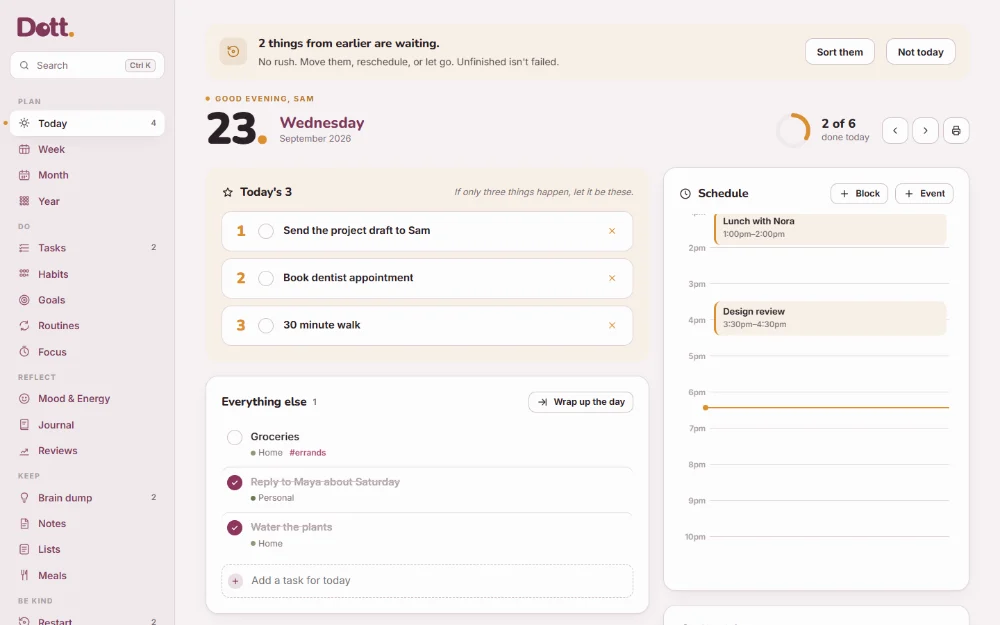
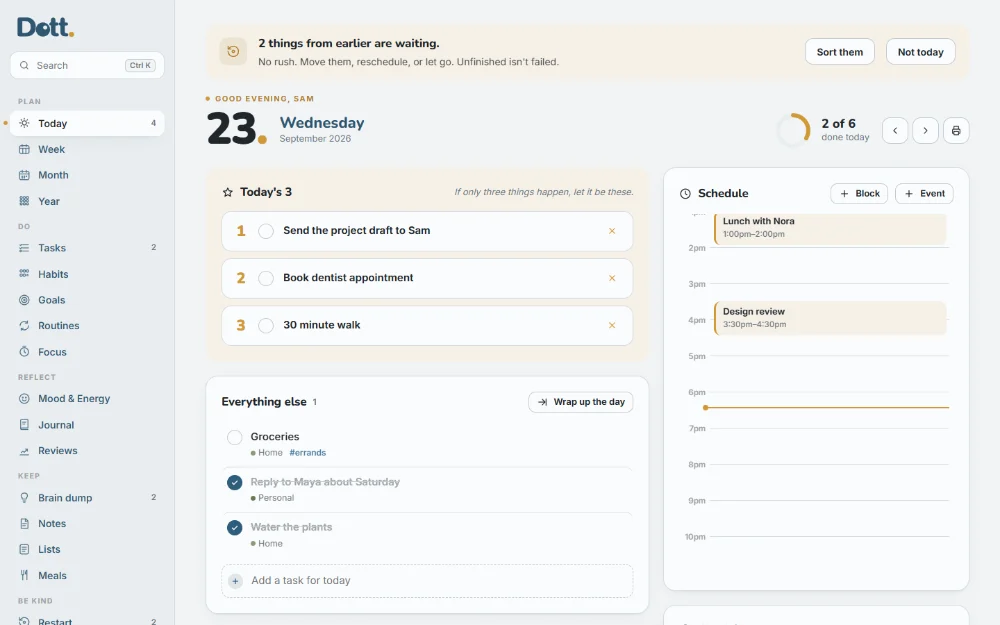
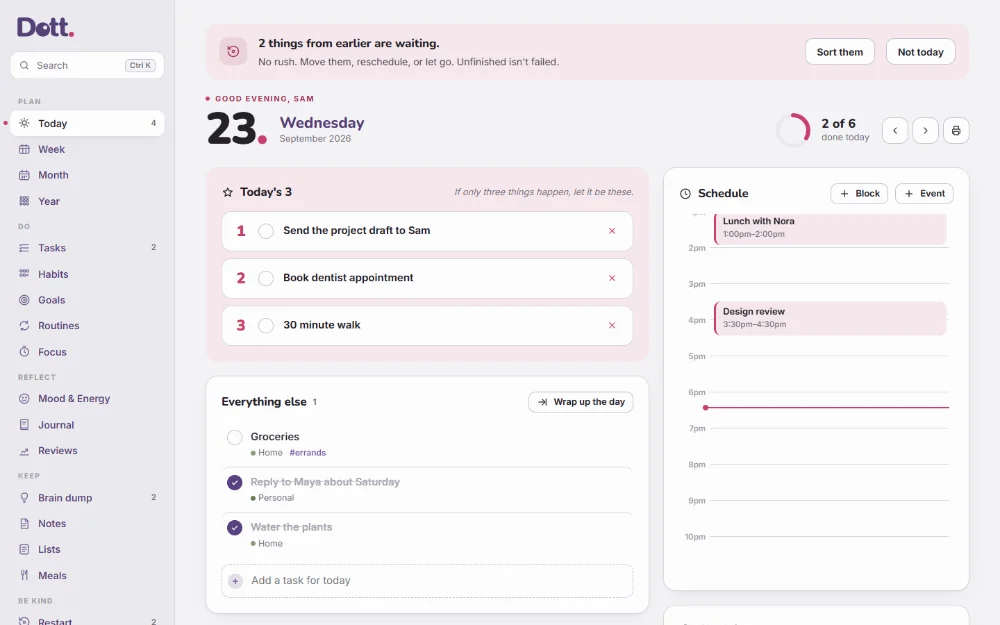
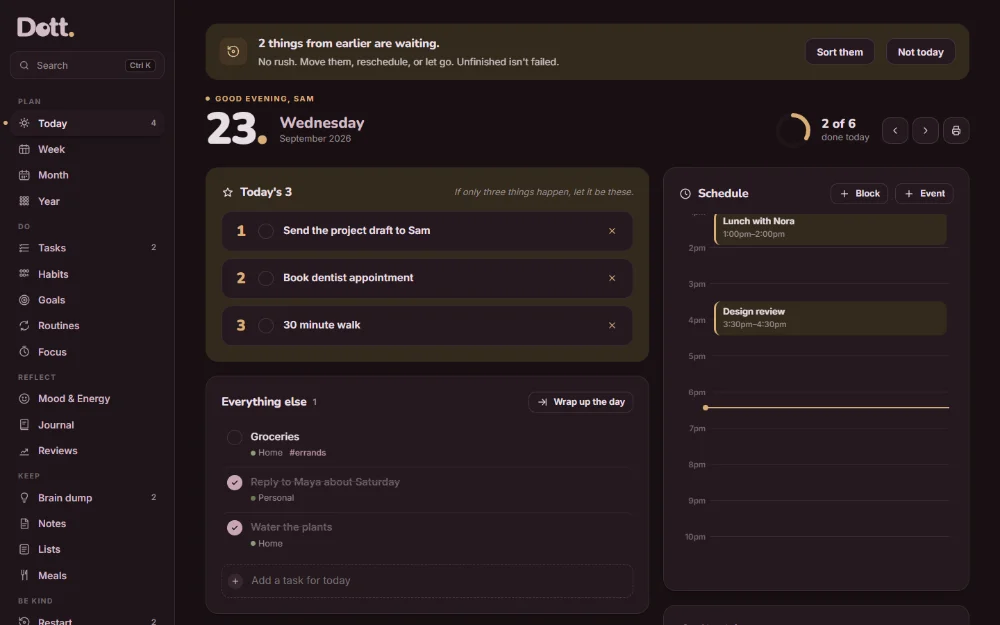
An honest look at whether it's right for you.
Made for you if:
- You've abandoned planners before and want one you can come back to
- You want tasks, calendar, habits, goals and journal in one place
- You'd rather keep your plans private, on your own device
- You don't want another monthly subscription
- You like a calm, quiet tool more than a busy one
Not for you if:
- You need to share a calendar with a team or your family
- You need your phone and computer to sync automatically (Dott. moves between devices with a backup file)
- You need reminders when the planner is closed (it can remind you only while it's open in a browser tab)
- You want it to connect live to Google or Outlook Calendar (you can export your events as a calendar file)
- You want an AI to plan your day for you
Open it tonight. Plan tomorrow in five minutes.
No setup wizard and nothing to learn first. This is the whole process.
Download and open
After checkout you get a ZIP. Unzip it and double-click Dott-Planner.html. It opens in your browser. That's the install.
Pick today's 3
Write the three things that matter today. Add anything else below, and events to the schedule if you like.
Check in when you can
Tick things off, fill a habit dot, shade your mood. Everything saves as you type.
When life happens, restart
Missed a few days? Restart turns what's waiting into one next step. No guilt, no clean-up.
Check today's 3 on the bus.
Dott. adapts to small screens with a menu at the bottom that's easy to tap. Open the file in your phone's browser and it works the same way.
- Same features as on a computer
- Light and dark mode, all 15 palettes
- Move your planner between devices with a backup file
Private, offline, and yours to keep.
Private
Your plans, habits and journal are saved in your own browser on your own device. No account, no servers, nothing uploaded.
Works offline
It's a single file. It opens without internet today, and it doesn't depend on any company's servers to keep working.
No subscription
$14.99 once and it's yours to keep. No monthly charges and no renewals.
| Dott. | Subscription planner apps | Paper planner | |
|---|---|---|---|
| Price | $14.99 once | Monthly or yearly fee | Often a new one each year |
| Account needed | No | Usually | No |
| Works offline | Yes | Varies | Yes |
| Tasks, calendar, habits and journal together | Yes | Varies | Yes, by hand |
| Moving an unfinished task | One tap | Usually easy | Rewrite it |
| Where your plans live | Your device | Company servers | Your notebook |
| Syncs between devices automatically | No, backup file | Usually | No |
General comparison. Apps and planners vary; check the specific product you're considering.
A planner shouldn't make you feel behind. It should help you decide what to do next.
That's the whole idea behind Dott. It doesn't count the days you missed, it doesn't ask for a clean Monday, and it keeps everything on your own device. Plan when you can. Pick back up when you're ready.
One price. Yours to keep.
Everything on this page is included in one download. No subscription and no upsells inside the app.
The Dott. Planner
About $1.25 a month in your first year ($14.99 ÷ 12), then nothing.
- The Dott. Planner appToday, Week, Month, Year, Tasks, Habits, Goals, Routines, Focus, Mood, Journal, Reviews, Meals, Lists, Notes, Brain dump, Restart and more.
- 12-page user guideEvery screen explained, with pictures.
- The Paper Planner Bonus32 undated pages to print or use on a tablet.
- 15 colour palettes, light and darkOr choose your own two colours.
- Backup and exportOne-click backup, calendar (.ics) and spreadsheet (.csv) export.
- Yours to keepPay once. No renewals, no account.
Opens in any modern browser on Windows, Mac, phone or tablet.
The Paper Planner
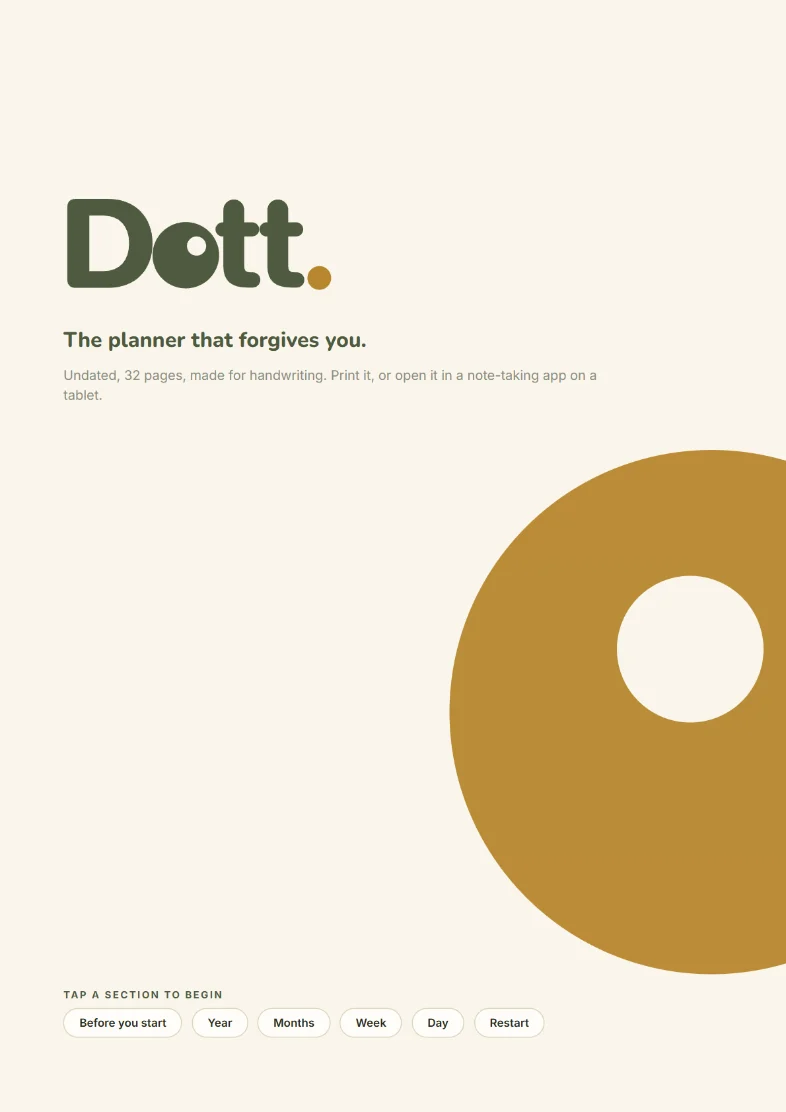
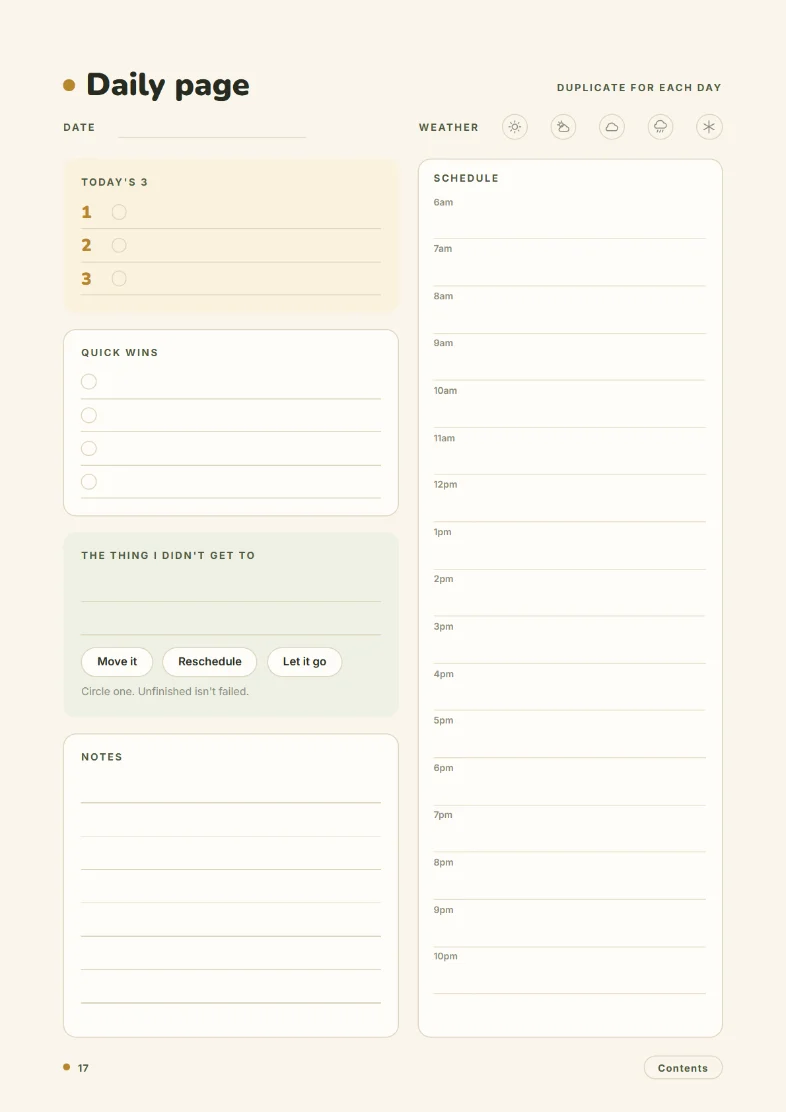
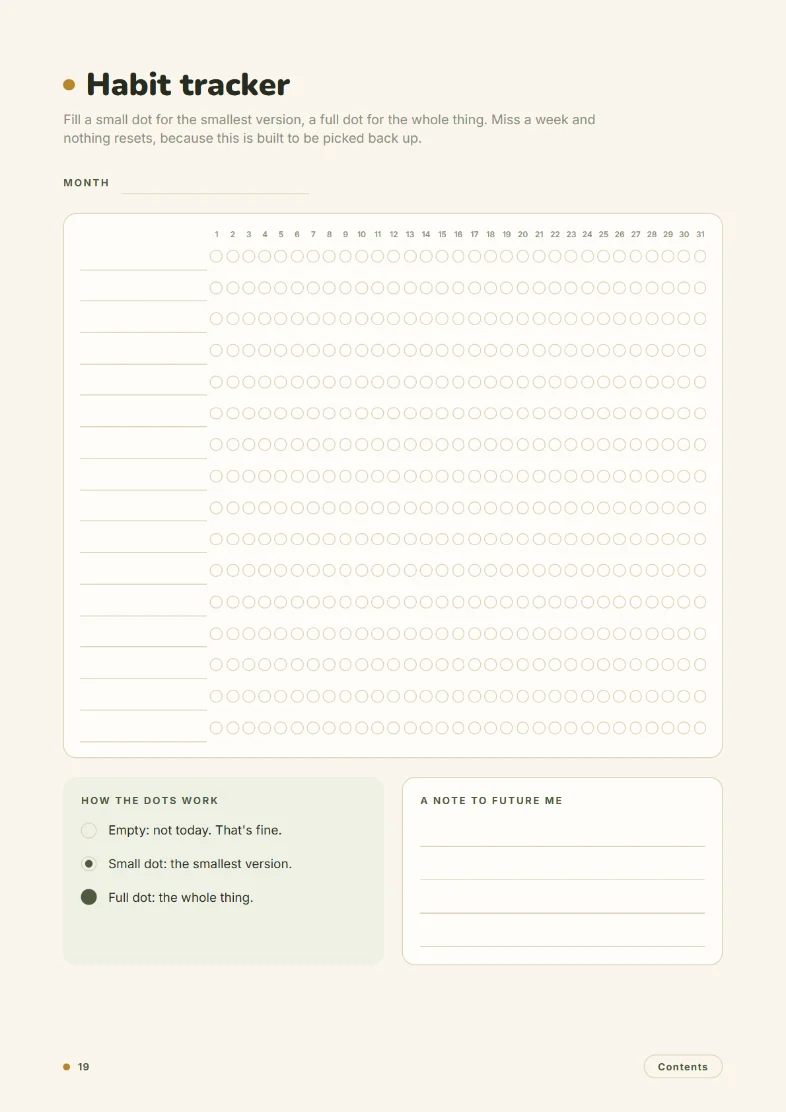
For the days you'd rather hold a pen. 32 undated pages in the same calm style, with tap-to-jump links that work in most PDF and note-taking apps.
- Year at a glance
- 12 monthly pages
- Weekly spread
- Daily page
- Habit tracker
- Mood & energy
- Goal breakdown
- Brain dump
- Weekly review
- Restart page
- Permission slip
- Picking it back up
Pay once instead of every month.
Many planner apps charge a subscription. Here's a one-time $14.99 next to an example $5 a month plan.
After 1 year
After 3 years
After 5 years
Example for illustration. Subscription prices vary by app.
From checkout to planning in minutes.
Buy
Complete the one-time checkout.
Download
Get the ZIP straight away.
Open
Unzip it, double-click the planner.
Plan
Write today's 3. That's it.
One-time payment. Instant download.
Frequently asked.
Is this an app I have to install?
No. Dott. is a ready-to-use planner in a single HTML file. You double-click it, it opens in your web browser, and you start planning. There's nothing to install and no account to create.
Is my planner private?
Yes. Everything you write is saved in your browser on your device. Nothing is uploaded and we never see it. Use the built-in backup to keep a copy somewhere safe.
Does it work on my phone?
Yes. Unzip the download in your phone's Files app and open the planner in your web browser (Safari, Chrome and similar). It has a phone layout with a menu at the bottom. If a file opens as a preview, Dott. tells you it can't save there, so you know to open it in the browser.
Does it sync between my phone and computer?
Not automatically. Each device and browser keeps its own copy, which is what keeps it private. To move your planner, download a backup on one device and restore it on the other. It takes two clicks.
Will it send me reminders?
Only while the planner is open in a browser tab, if you turn on "Reminders while open" in Settings. Browsers can't send notifications from a file that's closed, so if you rely on reminders, keep a phone alarm for the important ones.
Is it dated or undated?
The app uses real dates, so it always knows what today is and your week can start on Monday, Sunday or Saturday. The bonus Paper Planner is undated, so you can start it any time.
Do I need internet?
No. After you download it, Dott. works completely offline.
What if I clear my browser data?
That removes the planner from that browser, which is why backup is built in. One click downloads a file with everything in it, and one click restores it. Dott. reminds you if you haven't made a backup in a week.
Can I change the colours?
Yes. Settings has 15 palettes, from the original olive to Ocean, Peony, Lilac and more, or you can choose your own two colours. Each works in light and dark mode.
Can I print it?
Yes. Today, Week, Month, the grocery list and the permission slip all print cleanly, and the 32-page Paper Planner is included for printing.
Is there a subscription?
No. You pay $14.99 once and keep the file. There are no renewals and nothing to unlock inside the app.
Plan the week you actually have.
One file. No sign up. No monthly fee. Start with today, and pick back up whenever life gets in the way.
- Instant download
- One-time payment
- Works offline
- Stays on your device